



 Updated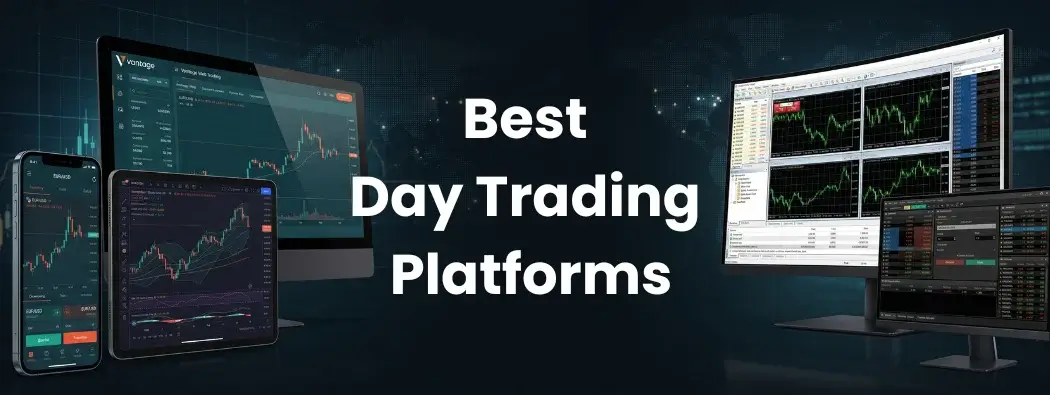
Disclaimer: This article is for informational purposes only and reflects information available at the time of publication. Broker offerings, fees, regulations, platform features, and trading conditions may change over time. Readers should conduct their own research before making any trading or investment decisions.
The platform a trader uses can shape how they read price action, manage orders, and respond to market movement under pressure.
Day traders in 2026 have more platform options than ever. These include dedicated execution terminals, browser-based platforms, advanced charting environments, and mobile apps that support trading account access across devices. Each platform is built around different priorities, so the practical differences can be significant.
For traders across Asia-Pacific, platform access may also depend on local device habits, internet stability, account availability, and preferred trading workflow. Whether a trader is based in the Philippines, Thailand, Vietnam, or other regional markets, the platform experience can differ depending on whether they trade mainly from a desktop setup, browser, or mobile app.
This guide compares five widely used day trading platforms: MetaTrader 4 (MT4), MetaTrader 5 (MT5), TradingView, Vantage Web Trading, and the Vantage App. It covers execution speed, charting depth, automation capability, mobile access, and how each platform may support different trading workflows when trading contracts for difference (CFDs) across markets including forex, indices, commodities, and shares.
Key Points
- Fee model is the most direct variable in day trading cost: raw spread plus commission accounts — such as IC Markets’ Raw Spread, Pepperstone’s Razor, and Vantage’s Raw ECN — typically work out cheaper for high-frequency traders than spread-only pricing.
- Regulation determines what protections apply to your account; client fund segregation, leverage limits, and dispute recourse all depend on the authority that oversees your broker in your jurisdiction, not just whether the broker is licensed.
- Platform software should match your existing workflow: MT4 and MT5 users are best served by Vantage, Pepperstone, or IC Markets; multi-asset traders wanting futures and options by Interactive Brokers; and social or copy traders by eToro — no single platform fits every trading profile.
What is a Trading Platform?
A trading platform is software that allows traders to view market prices, analyse charts, place orders, and manage their trading accounts. It connects the trader to a broker, which processes orders and provides access to available financial markets.
Trading platforms may be available as desktop software, browser-based platforms, or mobile apps. Their features can vary, but commonly include charting tools, technical indicators, watchlists, order controls, alerts, and account-management functions.
Some platforms, such as MetaTrader 4 (MT4), MetaTrader 5 (MT5), and cTrader, focus on trade execution and automation. Others, such as TradingView, place greater emphasis on charting, analysis, and market monitoring.
What Makes a Good Day Trading Platform?
Day trading often involves quick decisions in changing market conditions. For traders across APAC markets, practical factors such as device access, platform stability, charting tools, execution, and account availability may shape the trading experience.
- Order Execution Speed: Low-latency execution may help reduce slippage during fast-moving markets, although execution quality can vary by market conditions and broker infrastructure.
- Charting And Analysis Tools: Trading indicators, drawing tools, and multiple timeframes can help traders study price action and market patterns.
- Order Type Variety: Most platforms support market, limit, and stop orders. Some also include advanced pending order types for more specific entry conditions.
- Platform Stability: A stable platform should remain responsive during volatile periods or high trading volumes.
- Automation Support: Some platforms allow rule-based or algorithmic trading systems to run with limited manual input.
- Cross-Device Access: Desktop, browser, and mobile access can support a more flexible trading workflow.
- Regional And Device Access: Traders may prefer different platform types depending on their location, internet setup, and device usage. Some may use desktop terminals for analysis, while others may rely more on browser-based or mobile platforms.
It is worth noting that no platform eliminates trading risk. Trading outcomes depend on market conditions, individual strategy, and risk management — not on platform choice alone. All trading involves risk, and losses are always possible.

Quick Comparison: 7 Day Trading Platforms in 2026
The table below compares each platform by common use, key features, access through Vantage, and general difficulty level. This information is for educational purposes only and does not constitute a personal recommendation.
| Platform | Common Use | Notable Features | Considerations | Via Vantage |
| MetaTrader 4 (MT4) | CFD execution and beginner workflows | Lightweight platform, large Expert Advisor (EA) library, 9 timeframes | Fewer timeframes and order types than MT5 | Via integration |
| MetaTrader 5 (MT5) | Multi-asset CFD trading and advanced testing | 21 timeframes, 6 order types, Depth of Market (DOM), multi-threaded tester | MQL4 EAs require rewriting in MQL5 | Via integration |
| TradingView | Chart-based analysis | 20+ chart types, Pine Script, community indicators, cloud sync | Live execution requires broker integration | Via integration |
| Vantage Web Trading | Browser-based access | No downloads, single login, advanced charts, access to 1,000+ CFDs | Better suited to straightforward setups than complex multi-chart workflows | Yes |
| Vantage App | Mobile and integrated access | iOS and Android access, copy trading, demo account, market commentary | More suited to monitoring than extended chart analysis | Yes |
| cTrader | Active forex and CFD execution | Chart trading, Quick Trade, Depth of Market, stop-limit orders, and cTrader Algo | Instrument access depends on the connected broker; MetaTrader automation is not directly compatible | No |
| Interactive Brokers Trader Workstation (TWS) | Advanced multi-asset trading | Global market access, advanced order types, scanners, charts, and trading algorithms | More complex interface; products and market data may depend on account permissions and jurisdiction | No |
1. MetaTrader 4 (MT4)

MetaTrader 4 (MT4) is a trading platform developed by MetaQuotes and released in 2005. It is widely used for forex and CFD trading, with tools for charting, order execution, technical analysis, and automated trading.
MT4 is built around a focused set of trading functions. These include price charts, order management, technical indicators, and Expert Advisors (EAs), which are automated trading programs that can operate based on predefined rules. MetaQuotes also provides MT4 across desktop and mobile devices, while broker availability may vary.
The platform remains widely used partly because of its long-established ecosystem. Over time, the MT4 community has developed a broad range of third-party EAs and custom indicators written in MQL4. This gives users access to many additional tools beyond the platform’s built-in features.
MT4 includes nine timeframes, 30 built-in technical indicators, and several order types, including market, limit, and stop orders. Compared with MetaTrader 5 (MT5), it has fewer built-in timeframes and platform features. However, its simpler layout may be easier to learn for traders who prefer a more focused trading interface.
Key features:
- Lightweight desktop platform with broad broker support
- Nine timeframes and 30 built-in technical indicators
- Support for Expert Advisors and custom indicators through MQL4
- Market, stop, and limit order functionality
- Desktop and mobile access, depending on broker availability
- Available through Vantage for CFD trading across forex, indices, shares, commodities, ETFs, and bonds
For a fuller overview of the platform’s interface, charting tools, order functions, and Expert Advisor support, read our guide to MetaTrader 4.
2. MetaTrader 5 (MT5)
MetaTrader 5 (MT5) is the successor to MetaTrader 4 (MT4), developed by MetaQuotes as a multi-asset platform for forex, stocks, futures, and other exchange markets. It is built for technical analysis, order execution, algorithmic trading, and strategy testing.
MT5 offers 21 timeframes, 38 built-in technical indicators, 44 analytical objects, and an unlimited number of charts. This gives it a broader set of built-in analysis tools than MT4, which has nine timeframes and 30 built-in indicators.
The platform also includes six pending order types, including Buy Stop Limit and Sell Stop Limit. Its native Depth of Market (DOM) feature allows users to view available market depth at different price levels, where this data is supported by the broker and market.
MT5’s Strategy Tester supports multi-threaded and multi-currency testing. This allows automated strategies to be tested across several instruments, while MT4’s Strategy Tester is single-threaded by comparison.
MT5 supports both hedging and netting accounting systems. In netting mode, multiple positions in the same instrument are consolidated into one net position. In hedging mode, separate positions in the same instrument can remain open at the same time, where this is supported by the broker.
One important consideration is platform compatibility. Expert Advisors and custom indicators written in MQL4 do not run directly on MT5 and generally need to be converted or rewritten in MQL5. This may be relevant for users with existing MT4 automation.
Key Features:
- 21 timeframes and 38 built-in technical indicators
- 44 analytical objects and unlimited chart support
- Six pending order types, including Buy Stop Limit and Sell Stop Limit
- Native Depth of Market (DOM), where supported by the broker and market
- Multi-threaded, multi-currency Strategy Tester
- Support for both hedging and netting accounting systems, depending on broker availability
For readers who want a deeper breakdown of MT5’s layout, tools, and platform functions, this guide to the MT5 trading platform explains how its key features work in more detail.
3. TradingView
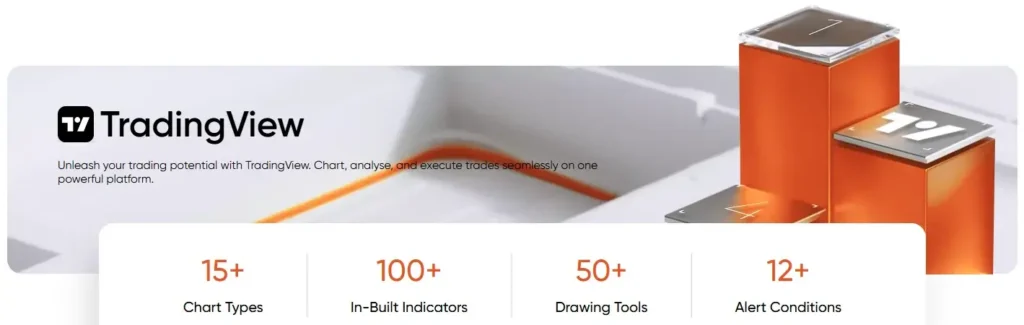
TradingView is a cloud-based charting, market analysis, and social platform used across asset classes such as forex, indices, and stocks. Its web, desktop, and mobile access allows users to view charts, watchlists, alerts, and market data across devices, depending on account settings and data availability.
TradingView’s Supercharts offer more than 20 chart types, including classic chart types and more advanced options such as Renko, Kagi, Point & Figure, Time Price Opportunity (TPO), and Session Volume Profile (SVP). The platform also supports indicators, drawing tools, alerts, and Pine Script, TradingView’s scripting language for building indicators, strategies, and alerts.
TradingView also includes community features where users can publish ideas, share scripts, and discuss market analysis. Its public script library includes indicators and strategies built with Pine Script. This can make the platform useful for traders who place strong emphasis on visual analysis, chart customisation, and shared market research.
Live order placement on TradingView requires broker integration. This means orders are placed through a connected broker rather than through TradingView alone. For CFD traders, broker availability, supported instruments, pricing, and execution conditions may vary. TradingView is available through Vantage via integration, and TradingView also offers free and paid plans with different feature limits.
Key Features:
- More than 20 chart types, including Renko, Kagi, Point & Figure, TPO, and SVP
- Pine Script for custom indicators, strategies, alerts, and published scripts
- Cloud-based access across web, desktop, and mobile
- Community features for shared scripts, ideas, and market analysis
- Live trading available through supported broker integrations
- Free and paid plans available, with feature limits depending on subscription level
Readers who are still getting familiar with the platform can refer to this beginner guide on how to use TradingView, which covers its charting layout, tools, and basic platform functions.
4. Vantage Web Trading
Vantage Web Trading (VWT) is a browser-based CFD trading platform that allows users to manage trades, analyse markets, and monitor positions in one place. It provides access to Vantage’s range of more than 1,000 CFDs, including forex, commodities, indices, shares, and more, with no software download required.
The platform uses one secure login, which allows users to manage their Vantage trading accounts through a single access point. It also includes TradingView charts, a wide range of technical indicators, advanced charting tools, smooth zooming, and tracking features.
Vantage Web Trading is web-responsive and can be accessed through a modern browser on desktop, laptop, tablet, or mobile. It also supports one-click order execution and real-time market data, which may be useful for traders who prefer browser-based account access without installing a desktop terminal.
For traders who use complex multi-chart analytical setups, a dedicated desktop platform may still provide a more suitable workspace. Platform suitability depends on the trader’s workflow, instruments, experience level, and technical requirements.
Key Features:
- Browser-based access with no software download required
- One secure login for Vantage trading accounts
- TradingView charts with technical indicators and advanced charting tools
- One-click order execution and real-time market data
- Web-responsive access across desktop, laptop, tablet, and mobile
- Access to more than 1,000 CFDs, including forex, commodities, indices, shares, and more
5. Vantage App
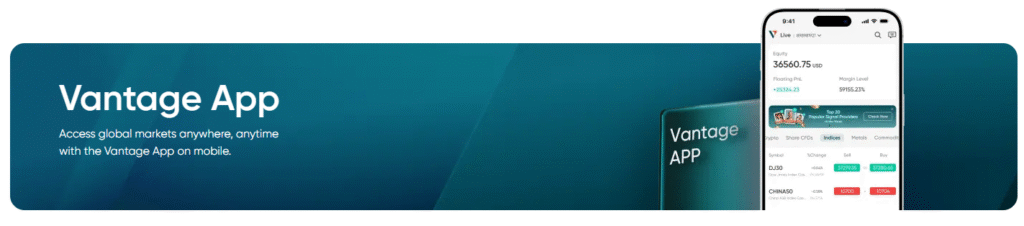
The Vantage App is a mobile trading application for iOS and Android. It provides access to more than 1,000 CFDs, including forex, commodities, indices, shares, exchange-traded funds (ETFs), bonds, and more, through a mobile trading environment.
The app includes account setup, funds management, secure deposits and withdrawals, charting tools, and order management features. It also provides access to technical indicators, customisable charting tools, 10 timeframes, watchlists, alerts, a news calendar, daily market commentary, and market analysis.
The Vantage App also supports copy trading, where users can replicate the strategies and orders of signal providers. Copy trading still involves risk, and outcomes can vary depending on market conditions, the copied strategy, and individual account settings.
The app may be relevant for users who prefer mobile account access or who use a mobile platform alongside a desktop setup such as MetaTrader 4 (MT4) or MetaTrader 5 (MT5). This may be useful for traders in mobile-first markets across countries such as the Philippines, Thailand, and Vietnam, where users may check charts, manage account activity, or monitor market updates from different devices throughout the day.
For a broader comparison of mobile platforms, readers can explore our guide to forex trading apps and the tools commonly available through them.
Key Features:
- Access to more than 1,000 instruments, including forex, commodities, indices, shares, ETFs, bonds, and more
- Available on iOS and Android
- Integrated account setup, deposits, withdrawals, charting, and order management
- Technical indicators, customisable charting tools, 10 timeframes, watchlists, and alerts
- News calendar, daily market commentary, and market analysis
- Copy trading access, where available, with trading risk still applying
6. cTrader
cTrader is a multi-device trading platform commonly used for forex and CFD trading through supported brokers. It combines order execution, technical analysis, chart-based trading, market depth information, and algorithmic trading tools within one platform environment.
The platform supports market, limit, stop, and stop-limit orders. Its Quick Trade functionality allows users to place and manage orders directly from a chart, while stop-loss, take-profit, trailing stop-loss, and price alert settings can also be adjusted through the chart interface.
cTrader also includes Depth of Market (DOM), which displays available buy and sell volume at different price levels where this information is provided. This may be relevant for traders who use market depth alongside price charts when monitoring short-term market activity.
For automated trading, cTrader Algo supports automated systems known as cBots. Strategies can be created using C# or Python, depending on the application and setup. Automated strategies can also be tested against historical market data before being applied to a trading account.
A practical consideration is compatibility. Expert Advisors and indicators created for MetaTrader using MQL4 or MQL5 do not run directly as cBots. Traders moving from MetaTrader may therefore need to rebuild or adapt their existing automation.
Key Features:
- Market, limit, stop, and stop-limit order functionality.
- Quick Trade and order management directly from charts.
- Depth of Market information, where supported.
- cTrader Algo for creating and testing automated strategies.
- Custom indicators, cBots, and platform extensions.
- Desktop, web, and mobile access.
- Instrument availability based on the connected broker.
cTrader is not currently available through Vantage. Traders considering the platform should confirm broker support, product availability, costs, and account conditions in their jurisdiction.
7. Interactive Brokers Trader Workstation (TWS)
Trader Workstation (TWS) is the flagship desktop platform developed by Interactive Brokers. It is designed for active traders and investors who require access to multiple markets, advanced order management, account monitoring, and analytical tools within one interface.
TWS provides access to stocks, options, futures, currencies, bonds, funds, and other financial products across more than 170 markets worldwide. Product availability, including access to CFDs, depends on the Interactive Brokers entity, the trader’s jurisdiction, and the permissions enabled on the account.
One of the platform’s main distinguishing features is its range of order functionality. TWS supports more than 100 order types, trading tools, and algorithms. These include standard market and limit orders alongside more advanced tools intended for managing execution conditions, order timing, and larger or more complex positions.
The platform also includes customisable charts, watchlists, market scanners, news, research, and direct order entry from charts or market data windows. Paper trading access allows users to explore platform tools and test order workflows in a simulated environment, although simulated execution may differ from live trading conditions.
TWS has a steeper learning curve than streamlined browser-based or mobile platforms. Its number of windows, settings, market data options, and order configurations may be more than newer traders require. Some market data feeds may also require separate subscriptions.
Key Features:
- Access to multiple asset classes and global markets.
- More than 100 order types, order tools, and trading algorithms.
- Customisable charts, watchlists, scanners, news, and research.
- Direct chart and market-data order entry.
- Paper trading for simulated platform use.
- Workspace layouts for multi-screen trading setups.
- Market and product availability based on account permissions and jurisdiction.
Trader Workstation is not available through Vantage. It operates as part of the Interactive Brokers account and platform ecosystem.
Considerations for Traders New to Day Trading Platforms
For traders who are newer to day trading, platform choice can feel like a significant decision. Many major platforms are available in demo form, which allows users to explore the interface, test features, and compare workflows before moving to a live setup.
When comparing platforms, it may help to look at a few practical areas:
- Ease Of Use: MetaTrader 4 (MT4) is one of the most widely used starting points for retail CFD trading. Its interface focuses on core trading functions such as charts, order placement, and technical indicators.
- Browser Access: Vantage Web Trading may be relevant for users who prefer access through a web browser. It requires no installation, and account management and trading functions are available from a single login.
- Mobile Access: The Vantage App offers integrated mobile access for users who prefer to monitor markets, manage their account, and place orders through a mobile device.
- Charting Tools: TradingView’s free tier can provide a way to become familiar with charting and visual analysis before using live order placement through a connected broker.
- Advanced Features: MetaTrader 5 (MT5) includes more timeframes, order types, and testing tools than MT4. These features may become more relevant once a trader is familiar with platform layout and order management.
- Alternative Execution Interface: cTrader may be relevant for users who want chart-based order placement, Depth of Market information, and an alternative automation environment to MetaTrader.
- Advanced Multi-Asset Tools: Trader Workstation provides extensive market access and order functionality, but its interface may require more time to learn than MT4, Vantage Web Trading, or a mobile-first platform.
For readers who want to learn how platform choice fits into a wider trading workflow, this guide to day trading with CFDs explains the core concepts, market access, and practical considerations involved in short-term CFD trading.
MT4 vs. MT5: How the Two Platforms Differ
MetaTrader 4 (MT4) and MetaTrader 5 (MT5) are both developed by MetaQuotes. They share a similar interface, but differ in architecture, order types, analytical tools, and strategy testing capabilities.
MT4 is often associated with simplicity, lower system requirements, and a long-established third-party ecosystem. MT5 offers more timeframes, more pending order types, native Depth of Market (DOM), and multi-threaded strategy testing.
MT4 uses MQL4, while MT5 uses MQL5. Expert Advisors (EAs) and indicators written for MT4 are not directly compatible with MT5, so they generally need to be rewritten before use on MT5.
| Feature | MT4 | MT5 |
| Architecture | 32-bit, single-threaded | 64-bit, multi-threaded |
| Timeframes | 9 timeframes | 21 timeframes |
| Built-In Indicators | 30 indicators | 38 indicators |
| Pending Order Types | 4 pending order types | 6 pending order types |
| Depth Of Market (DOM) | Not native | Native DOM feature |
| Accounting Modes | Hedging | Hedging and netting, depending on broker availability |
| Strategy Tester | Single-threaded | Multi-threaded with multi-instrument backtesting |
| Programming Language | MQL4 | MQL5 |
| Compatibility | Supports MT4 EAs and indicators | MT4 EAs and indicators require rewriting |
| Common Use | Simpler CFD trading workflows and established third-party tools | Broader analysis, more order types, and advanced testing |
For a more detailed comparison, read our guide: MT4 vs MT5 Comparison: The Difference Between MetaTrader 4 And 5.
MetaTrader vs. TradingView: Different Tools for Different Purposes
MetaTrader and TradingView serve different functions. MetaTrader is mainly used for trade execution and account management, while TradingView is mainly used for charting, market analysis, alerts, and shared research.
Some traders use both platforms together. For example, TradingView may be used for visual analysis, while MetaTrader may be used for order execution through a broker account. This is general information only and does not constitute a recommendation for any particular setup.
| Feature | MetaTrader | TradingView |
| Primary Use | Trade execution and account management | Charting, analysis, alerts, and shared research |
| Order Execution | Connects directly to a broker’s server | Requires broker integration for live trading |
| Charting | Practical charting tools for desktop-based setups | More than 20 chart types, drawing tools, and community indicators |
| Device Access | Desktop, web, and mobile versions available, depending on broker setup | Web, desktop, and mobile access with cloud sync |
| Automation | Expert Advisors (EAs) can execute trades based on predefined rules | Pine Script supports indicators, alerts, and strategy testing |
| Community Features | Large third-party ecosystem for EAs and indicators | Shared scripts, ideas, and published analysis |
| Common Use Case | Traders who need direct execution and automated trading tools | Traders who prioritise charting, visual analysis, and alerts |
TradingView or cTrader for Day Trading?
TradingView centres on charting, browser-based access, alerts, community indicators, and Pine Script. Live order placement requires integration with a supported broker, as TradingView does not independently execute trades.
cTrader combines charting, order management, Depth of Market (DOM), automated trading through cBots, and application programming interface (API) access. It is designed as a more integrated trading terminal, bringing analysis, execution, and automation tools into one platform environment.
Both platforms can support intraday market analysis, but they are built around different priorities. TradingView may be more relevant for traders who value visual charting, custom indicators, alerts, and shared analysis. cTrader may suit those who prefer integrated order execution, market-depth information, and algorithmic trading tools.
| Feature | TradingView | cTrader |
| Primary Focus | Charting, analysis, and market research | Trade execution, order management, and automation |
| Platform Access | Browser-based with desktop and mobile apps | Desktop, web, and mobile applications |
| Charting Tools | Extensive charting with a large library of indicators | Advanced charting with integrated trading features |
| Customisation | Pine Script for custom indicators and strategies | cBots and API access for automation and custom tools |
| Order Execution | Requires a supported broker integration | Built-in execution through connected brokers |
| Depth of Market (DOM) | Limited compared with dedicated trading platforms | Integrated DOM and advanced order management |
| Community Features | Large social community and shared scripts | More focused on trading functionality than social features |
| Algorithmic Trading | Strategy development and backtesting via Pine Script | Automated trading through cBots and API integration |
| Best Suited For | Traders prioritising chart analysis and market monitoring | Traders seeking integrated execution and automation tools |
Rethinking What Makes A Day Trading Platform “Best”
The “best” day trading platform is rarely the one with the longest feature list. A platform is only useful when its tools fit the trader’s workflow, whether that involves execution, charting, automation, mobile access, or account management.
MT4, MT5, TradingView, cTrader, Trader Workstation, Vantage Web Trading, and the Vantage App each address different platform requirements. The more useful question is not simply “Which platform is best?”, but “Which platform supports how a trader analyses markets, places orders, and manages risk?”
A demo account can provide a practical way to explore a platform’s interface, charting tools, and order functions before considering live trading. Users can become familiar with available trading platforms and practise placing orders using virtual funds in a simulated environment.
However, demo trading may not fully reflect live market conditions, including liquidity, slippage, execution, and the emotional effects of trading with real capital.
Explore a Vantage demo account to compare available platforms and practise trading with virtual funds.
FAQs
What is the best day trading platform?
There is no single best day trading platform for every trader. The right platform depends on the trader’s instruments, strategy, experience level, execution needs, and preferred device access.
MetaTrader 4 (MT4), MetaTrader 5 (MT5), and cTrader are commonly used for forex and CFD execution. TradingView is commonly used for charting and visual analysis, while Trader Workstation provides broader multi-asset access and advanced order functionality.
For browser-based and mobile access to Vantage’s CFD instruments, Vantage Web Trading and the Vantage App provide integrated account and trading functionality.
What day trading platform is commonly used by beginners?
MetaTrader 4 (MT4) is commonly used by traders who are new to CFD day trading. It has a focused interface, core charting tools, and a long-established library of tutorials, Expert Advisors (EAs), and custom indicators.
Vantage Web Trading may also be relevant for users who prefer browser-based access with no installation. Demo accounts can provide a way to explore platform features before trading with real capital.
Which day trading platform has strong charting tools?
TradingView is commonly used for charting and visual market analysis. It includes more than 20 chart types, drawing tools, community indicators, alerts, and Pine Script for custom indicators and strategies.
Within the MetaTrader ecosystem, MT5 offers more built-in charting tools than MT4. MT5 has 21 timeframes and 38 built-in indicators, while MT4 has nine timeframes and 30 built-in indicators.
How do MetaTrader and TradingView differ for day trading?
MetaTrader is mainly used for trade execution, account management, and automated trading through Expert Advisors. It connects to a broker’s server for order placement.
TradingView is mainly used for charting, market analysis, alerts, and shared research. Live trading through TradingView requires broker integration, so many traders use TradingView for analysis and MetaTrader for execution.
What is the difference between MT4 and MT5 for day trading?
MT4 is simpler and has a long-established third-party ecosystem. It offers nine timeframes, 30 built-in indicators, four pending order types, and support for MQL4-based Expert Advisors.
MT5 offers more built-in tools. It includes 21 timeframes, 38 built-in indicators, six pending order types, native Depth of Market (DOM), and a multi-threaded Strategy Tester. MT4 Expert Advisors and indicators are not directly compatible with MT5 and generally need to be rewritten in MQL5.
Can I access a day trading platform without downloading software?
Yes. Vantage Web Trading is browser-based and does not require software downloads or installation. It can be accessed through a modern browser on desktop, laptop, tablet, or mobile.
TradingView is also browser-based for charting and analysis. MT4 and MT5 are commonly available as desktop applications, with mobile app versions also available depending on broker support.
Are day trading platforms free to use?
Many brokers provide MT4 and MT5 as part of a trading account at no additional platform fee. Vantage Web Trading and the Vantage App are available to Vantage clients without additional platform fees.
TradingView offers a free plan with core charting features. Some advanced features, such as multiple chart layouts, additional indicators, and higher alert limits, require a paid subscription. Trading costs such as spreads, commissions, swaps, and margin requirements may still apply.
RISK WARNING: CFDs are complex financial instruments and carry a high risk of losing money rapidly due to leverage. You should ensure you fully understand the risks involved and carefully consider whether you can afford to take the high risk of losing your money before trading.
Disclaimer: The information is provided for educational purposes only and doesn’t take into account your personal objectives, financial circumstances, or needs. It does not constitute investment advice. We encourage you to seek independent advice if necessary. The information has not been prepared in accordance with legal requirements designed to promote the independence of investment research. No representation or warranty is given as to the accuracy or completeness of any information contained within. This material may contain historical or past performance figures and should not be relied on. Furthermore estimates, forward-looking statements, and forecasts cannot be guaranteed. The information on this site and the products and services offered are not intended for distribution to any person in any country or jurisdiction where such distribution or use would be contrary to local law or regulation.